Gaussian Splatting Studio · Early Access

From photos to photoreal 3D, in one app

All the power of Gaussian splatting in a fast, beautiful package. Ingest a capture, reconstruct the scene, train a splat, then clean and stitch it — without ever leaving Splatter or touching the command line.

Windows · CUDA Real-time viewport No CLI required
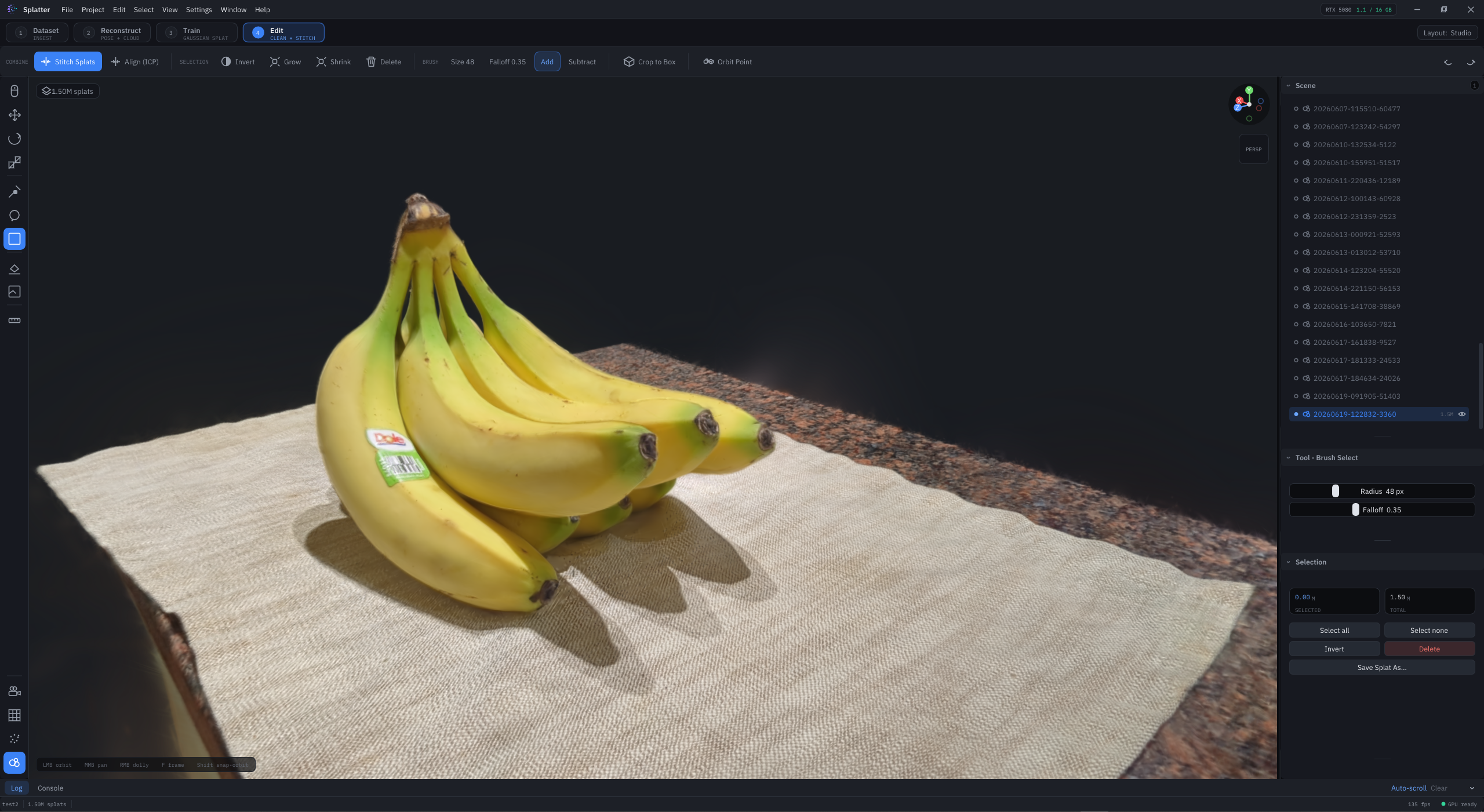
Splatter editing a photoreal banana Gaussian splat
The Edit workspace — brush-select, clean, and stitch a 1.5M-splat scene in real time.
4
Stages, one app
1.5M+
Splats, real-time
140 fps
Live viewport
0
Command lines
The Workflow

Four stages. One continuous flow.

Every project moves left to right through the same pipeline — and the whole interface adapts its tools to the stage you're in.

1 DATASET · INGEST

Drop in photos or video

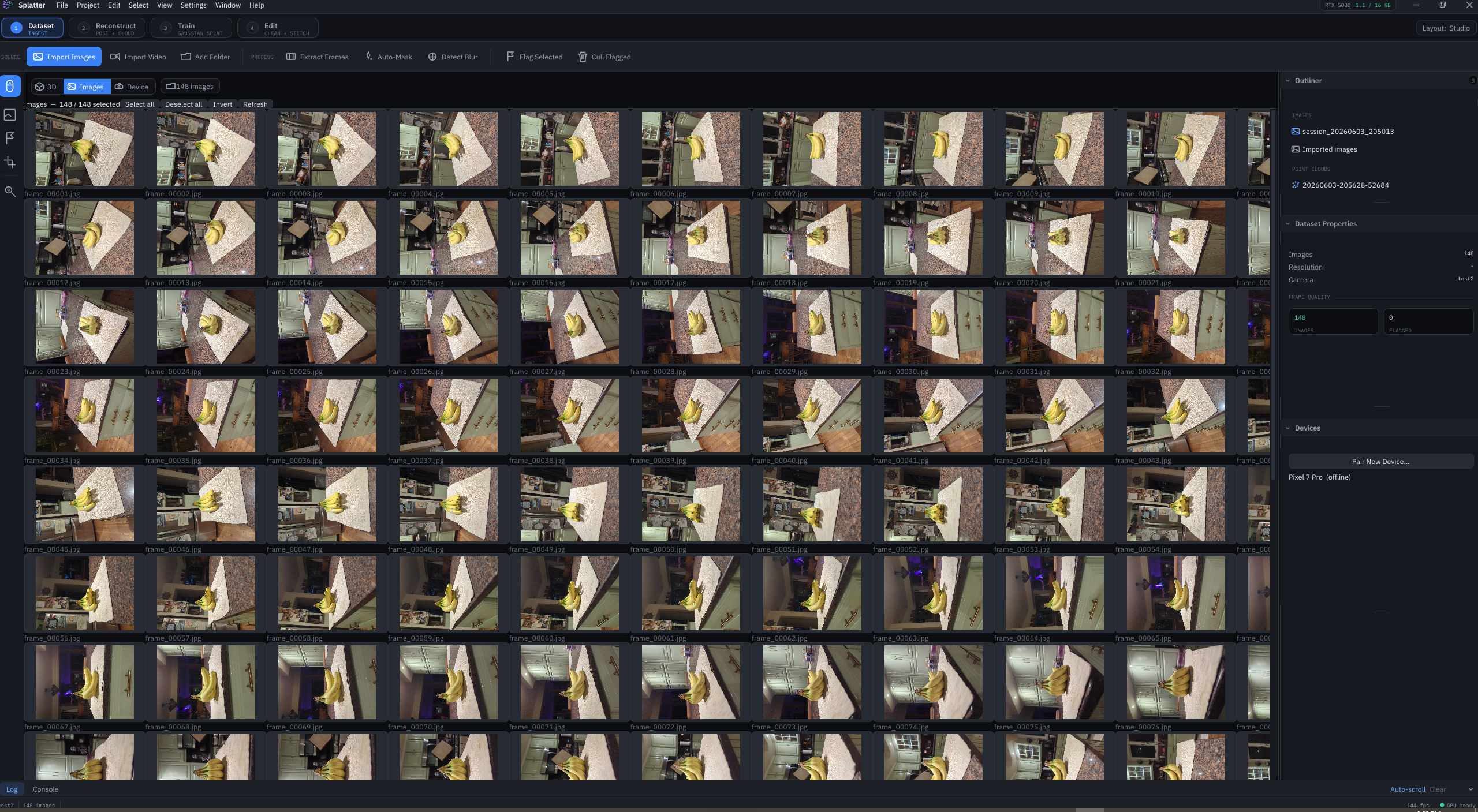
Bring a capture in as a folder of images or a video clip. Splatter extracts frames, scores sharpness, and lets you cull or mask before you commit a single GPU cycle.

  • Image folders & video, automatic frame extraction
  • Blur detection & sharpness histogram
  • Auto-masking to isolate your subject
Stage 1 — Dataset Dataset stage: 148 imported capture frames in a contact sheet
2 RECONSTRUCT · POSE + CLOUD

Solve camera poses & a point cloud

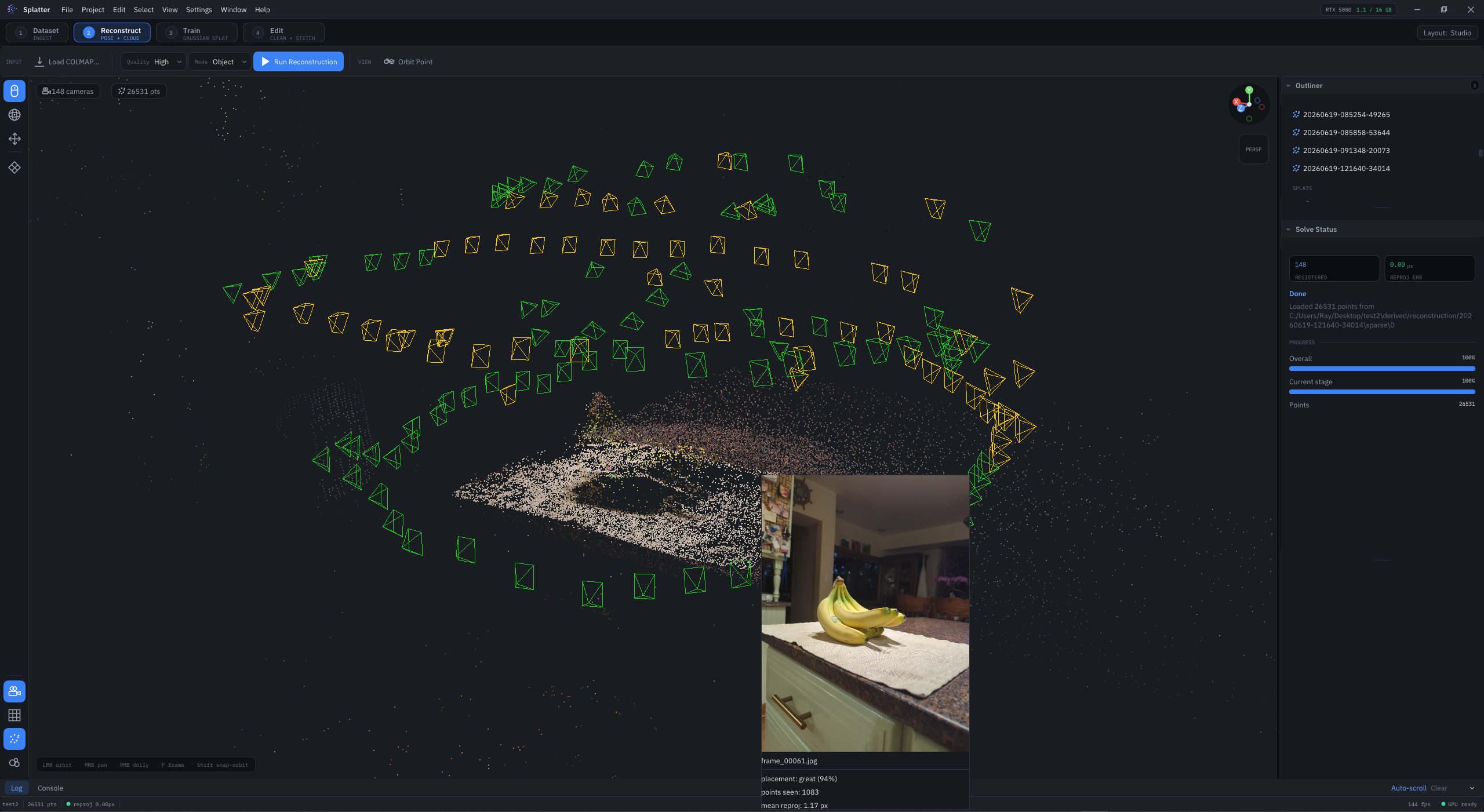
Reconstruct camera positions and a sparse cloud from your dataset, or bring your own pre-computed COLMAP. Inspect every frustum, point, and per-frame solve quality right in the viewport.

  • In-app reconstruction or load existing COLMAP
  • Live camera frustums & sparse point cloud
  • Per-frame placement & reprojection scoring
Stage 2 — Reconstruct Reconstruction: camera frustums and sparse point cloud
3 TRAIN · GAUSSIAN SPLAT

Train a photoreal splat & watch it converge

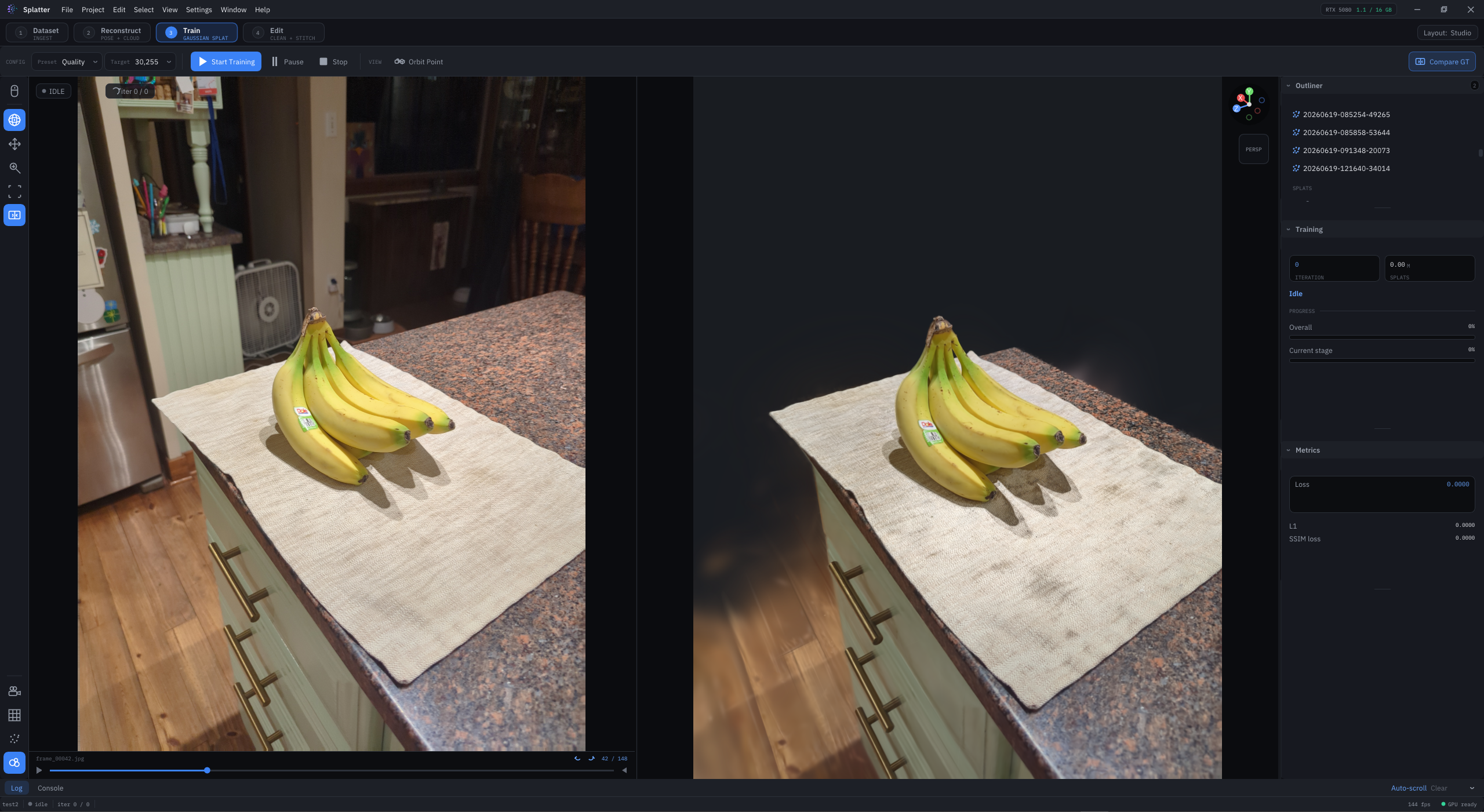
Kick off training and compare the rendered splat against ground-truth frames side by side. Loss, PSNR, and SSIM update live so you always know exactly how your model is doing.

  • Side-by-side render vs. ground-truth compare
  • Live loss / PSNR / SSIM metrics
  • Quality presets, densify controls & checkpoints
Stage 3 — Train Training: rendered splat compared to ground truth
4 EDIT · CLEAN + STITCH

Clean, crop, and stitch to a finished splat

Brush or lasso away the background, crop to a box, then stitch a front and back capture into one seamless model with automatic ICP alignment. A full editing toolset, built for splats.

  • Brush, lasso & box selection with falloff
  • Stitch front + back captures (auto ICP align)
  • Transform, crop-to-box & non-destructive layers
Stage 4 — Edit Editing a Gaussian splat
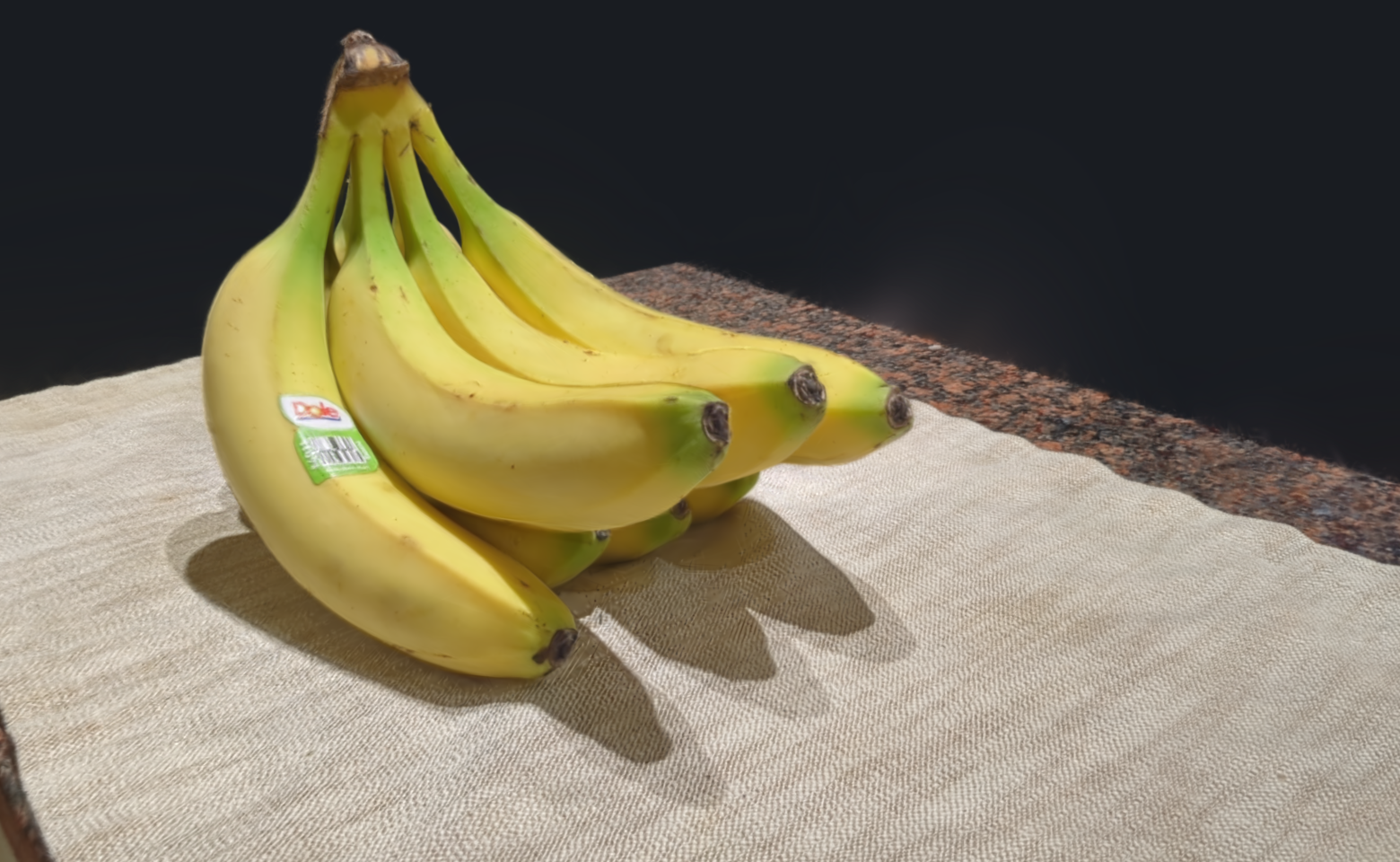
Photoreal Gaussian splat render of bananas

If you can photograph it, you can splat it.

From a handful of phone photos to a free-orbiting, photoreal 3D model — captured, trained, and cleaned entirely inside Splatter.

148 source frames 1.5M splats PSNR 28.4 dB Real-time orbit
Built for splats

A studio's worth of tools, in one window

A context-aware interface that surfaces exactly the right tools for every stage — nothing more, nothing in your way.

Brush & lasso editing

Paint selections with adjustable radius and falloff, lasso tricky regions, then delete, grow, shrink or invert — all GPU-accelerated.

Stitch front + back

Combine two captures into one watertight splat with automatic ICP alignment and seam blending. No more missing undersides.

Live training metrics

Loss, PSNR and SSIM stream in as your model converges, with a ground-truth compare view so you can trust every iteration.

Bring your own COLMAP

Already have a reconstruction? Load a pre-computed COLMAP or sparse cloud and jump straight to training.

Real-time viewport

Orbit millions of splats at 140 fps. Frame, pan and dolly through your scene as fluidly as a finished render.

Context-aware UI

The toolbar and tool palette reshape themselves to the stage you're in, so the next right action is always one click away.

Under the hood

System requirements

Splatter is a native, CUDA-accelerated desktop app. A modern NVIDIA GPU does the heavy lifting.

Recommended

OSWindows 11 (64-bit)
GPURTX 4070 / 5080 · 16 GB
VRAM12–16 GB
CPU8-core, 3.5 GHz+
Memory32 GB RAM
StorageNVMe SSD, 20 GB free

Minimum

OSWindows 10 (64-bit)
GPUNVIDIA RTX, 8 GB
VRAM8 GB
CPU6-core
Memory16 GB RAM
DriverCUDA 12+ capable
Pricing

Early access is open

Join the waitlist now and lock in founder pricing. Plans below take effect at launch — early members keep their tier free for longer.

Hobby
Free
For learning, tinkering, and personal captures.
  • All four workflow stages
  • Up to 1M splats per project
  • Standard editing toolset
  • Community support
Join the waitlist
Most popular
Pro
$29/mo
For artists and scanning professionals shipping work.
  • Unlimited splats & projects
  • Stitching, ICP align & advanced edit tools
  • All export formats
  • Priority email support
Join the waitlist
Studio
$89/mo
For teams and commercial capture pipelines.
  • Everything in Pro
  • Batch & headless processing
  • Team seats & shared projects
  • Dedicated support & onboarding
Join the waitlist
No credit card to join the waitlist · Founder pricing locked for 12 months
FAQ

Questions, answered

What exactly is a Gaussian splat?
It's a way of representing a 3D scene as millions of tiny, soft, colored ellipsoids ("splats"). Trained from photos, they render in real time and look photoreal from any angle — without the polygons, UVs, or baked lighting of traditional 3D.
Do I need to know COLMAP or the command line?
No. Splatter reconstructs camera poses and a point cloud for you from a folder of photos or a video. If you already have a COLMAP reconstruction, you can load it and skip straight to training — but it's entirely optional.
Can I combine multiple captures into one model?
Yes — that's what the Edit stage is for. Capture an object from the front and the back, train each, then stitch them into a single seamless splat with automatic ICP alignment and seam blending.
What hardware do I need?
A modern NVIDIA RTX GPU with at least 8 GB of VRAM on Windows. See the system requirements above — 16 GB is recommended for large, high-quality scenes.
What can I export?
Finished splats export to standard interchange formats for use in other 3D tools, viewers, and engines. Full format details ship with early access.
When does early access start?
We're onboarding waitlist members in waves now. Join the list and we'll email your invite along with founder pricing as your slot opens up.
Your first photoreal splat is a few photos away

Join the waitlist for early access, founder pricing, and a front-row seat as Splatter ships.